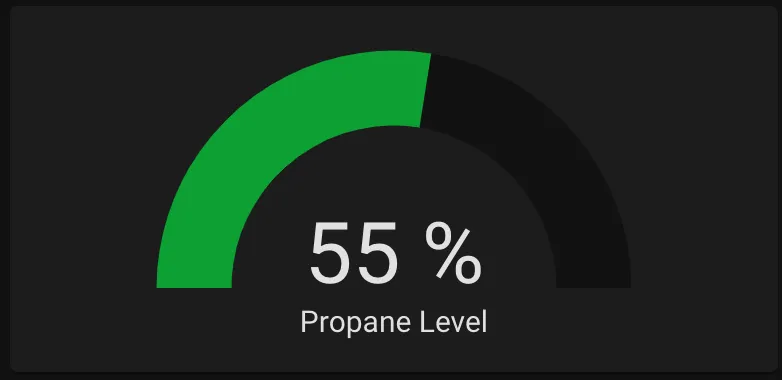
Monitoring Propane Level
Next up was a monitoring system for my propane tank. I have a standard 20lb propane tank stored in a sealed box with a vent to the outside, so the traditional method of lifting the tank to guess how much is left is out of the question. I needed a way to monitor its level wirelessly.
What you’ll need
Section titled “What you’ll need”- 20lb Propane Tank — Any standard 20lb tank should work. Other sizes could work with modifications to the script.
- Mopeka Bluetooth Propane Sensor — The only wireless propane sensor I’ve been able to find.
The problem
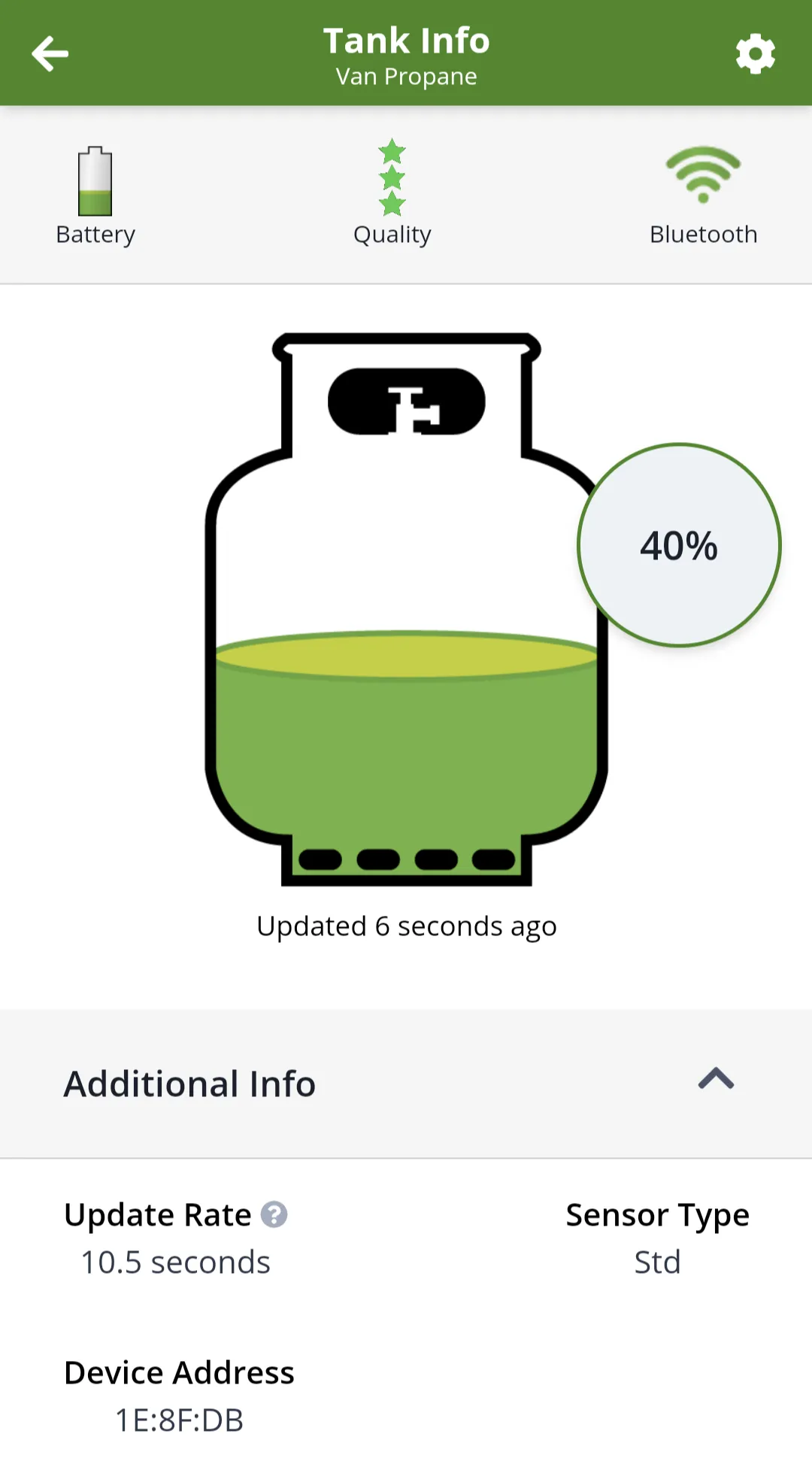
Section titled “The problem”The Mopeka sensor has its own app which works fine on its own — but I’d always forget to check it. I wanted to integrate it into Home Assistant so I could see all van systems in one place.
I reached out to Mopeka asking for an API, but never received a response. The only path forward was to reverse-engineer the app.
Step 1 — Read the Bluetooth data
Section titled “Step 1 — Read the Bluetooth data”The sensor communicates via Bluetooth Low Energy (BLE), broadcasting advertisement data every 10 seconds (hold the SYNC button for 5 seconds to change the interval). I read this using hcitool and hcidump in three separate terminals:
sudo hcidump
sudo hcidump --raw
sudo hcitool lescan
hcitool lescan scans for BLE devices while hcidump and hcidump --raw dump the received data. Here’s what I got from the propane sensor:
> HCI Event: LE Meta Event (0x3e) plen 43    LE Advertising Report      ADV_NONCONN_IND - Non connectable undirected advertising (3)      bdaddr 90:9A:77:1E:8F:DB (Public)      Unknown type 0xff with 25 bytes data      Shortened service classes: 0xada0      RSSI: -75
> 04 3E 2B 02 01 03 00 DB 8F 1E 77 9A 90 1F 1A FF 0D 00 00 02  7A 61 08 89 73 BE FD F4 17 C1 3E 05 17 5C F0 40 03 3B 1E 8F  DB 03 02 A0 AD B6
The 25 extra bytes contain the propane level encoded somewhere. My first attempt was to capture data from hcidump and the Tank Check app simultaneously and look for correlations — but after many attempts I couldn’t find an obvious one, so the app must be doing post-processing.
Step 2 — Reverse-engineer the app
Section titled “Step 2 — Reverse-engineer the app”I used Apktool to unpack the .apk file and view the resources. I downloaded version 2.5.1 of the Tank Check app:
Most of the code was in JavaScript at assets/www/js/dist.bundle.js. The raw output from Apktool was unreadable, but I made it readable using Beautifier.io.
Reading through the code, Apktool preserved class/function names but not other variable names — just enough to follow the logic. I found the code that prints the percentage to the screen and traced it backwards to where the Bluetooth data first came in.
I won’t go into full detail here, but I followed the data from raw BLE advertisement bytes all the way through to the percentage conversion. I then rewrote the JavaScript logic in Python. Along the way I also decoded battery percentage, temperature, and signal quality.
For reading the BLE data in Python, I adapted another open-source script to filter by the Bluetooth address of my sensor. The final script that sends data to Home Assistant via MQTT:
Step 3 — Create a systemd service
Section titled “Step 3 — Create a systemd service”sudo nano /lib/systemd/system/propane_mqqt.service[Unit]Description=Propane MQTTAfter=multi-user.target
[Service]Type=idleExecStart=/usr/bin/sudo -E /usr/bin/python3 /home/pi/python/propane/propane_mqtt.pyWorkingDirectory=/home/piUser=piRestart=on-failureRestartSec=5s
[Install]WantedBy=multi-user.targetEnable the service:
sudo systemctl daemon-reloadsudo systemctl enable propane_mqqt.serviceStep 4 — Add sensors to Home Assistant
Section titled “Step 4 — Add sensors to Home Assistant”Add the following sensors to configuration.yaml:
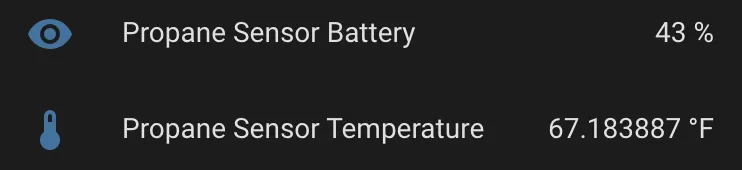
sensor: - platform: mqtt state_topic: "van/propane" name: 'Propane Level' unit_of_measurement: '%' value_template: '{{ value_json.propane_pct }}' - platform: mqtt state_topic: "van/propane" name: 'Propane Sensor Quality' value_template: '{{ value_json.propane_qual }}' - platform: mqtt state_topic: "van/propane" name: 'Propane Sensor Battery' unit_of_measurement: '%' icon: mdi:battery-50 value_template: '{{ value_json.propane_bat }}' - platform: mqtt state_topic: "van/propane" name: 'Propane Sensor Temperature' unit_of_measurement: '°C' value_template: '{{ value_json.propane_temp }}'The propane sensor can now be added to your Home Assistant dashboard: